


Napper: Baby Sleep & Parenting
4.6105.00 Reviews
App Specs
- Version
- 6.68.0
- Updated On
- License
- Free
- Downloads
- 1,000,000+
- Developer
- Napper
- Categories
- Parenting
- Platform
- Android, iOS
Screenshots
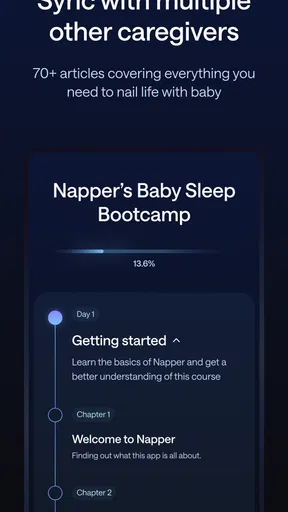
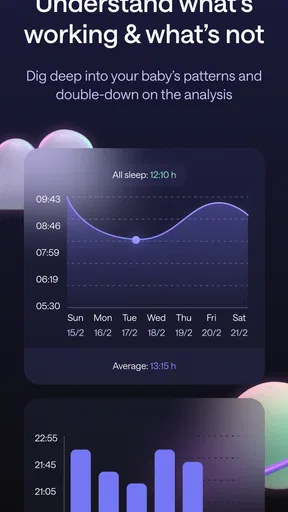
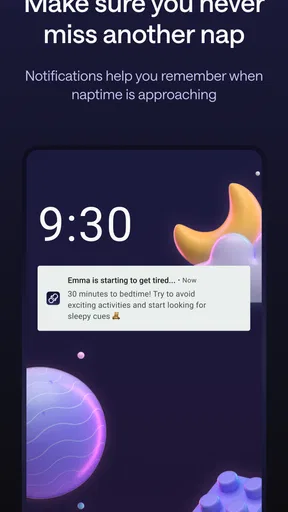
 Analysis by AppCompare
When a baby’s sleep changes from one day to the next, even simple planning can feel like guesswork. I find a tracker most useful when it helps me notice patterns without turning family life into a spreadsheet, and that balance is what I look for in a parenting app. Napper: Baby Sleep & Parenting is built around sleep logging, soothing audio and nap timing, so it aims to make those decisions easier to approach rather than promising a perfect routine.
At a glance, without the sales pitch
Napper is a free parenting app from Napper, with optional in-app purchases ranging from $9.99 to $69.99 per item. It has a 4.6 average from around 12,000 ratings and has passed 500,000 installs, which suggests that many families have found a reason to try it. The app is rated for Everyone, and version 6.38.0 is listed for devices running Android 7.0 or later.
Those figures are useful context, but they don’t tell me whether an app will suit a particular household. Napper makes the most sense for parents who want to record sleep and use wake-window guidance as one input when planning naps. It is less compelling if you only want a bare-bones timer, already keep reliable notes elsewhere, or prefer to make every sleep decision without suggested timing.
Readable when attention is in short supply
Sleep-deprived parents rarely have spare energy for a complicated setup. In my experience, Napper’s clean presentation makes its main purpose understandable: log sleep, look for a pattern, and use the schedule as a guide. The first setup asks about a baby’s sleep habits so the experience can be tailored, which is more useful than opening to an empty tracker, though entering details can still feel like one more task during a busy day.
The app’s range of tools is also the source of its learning curve. Tracking, sounds and sleep guidance serve related needs, but they are different things to navigate when you are tired. I would start with one habit—recording naps consistently—before exploring every option. That keeps the app useful without making bedtime feel like an administrative shift.
Guidance should support, not overrule, a family
Wake-window suggestions can help turn an uncertain day into a workable plan, especially when a parent is trying to spot a rhythm rather than guess from memory. But a suggested schedule is still a guide, not a verdict on whether a baby is ready to sleep. I would treat it as a prompt to check in with the child and the day’s circumstances, then adjust when the baby’s cues or family plans call for it.
That distinction matters because infant sleep is not perfectly predictable. A tracker can make changes easier to notice, but it cannot explain every unsettled evening or guarantee that a routine will work. Napper is best used as a practical notebook with suggestions, not as a substitute for parental judgement or professional advice when a family has a health concern.
Worth Reading Before You Choose

Switching to Android Auto Means Rethinking Your Driving Routine

Google Calendar Makes a Crowded Week Easier to Manage

Baby Panda World Brings Quick Play to Modern Phones, but Its Game Library Feels Busy

ESPN’s Live Game View Makes Following Close Games Easier

QuizzLand Review: A Good Fit for Short Trivia Breaks, Not Every Player

Basketball Stars: Multiplayer Is Fast, but Can It Recover When Matches Go Wrong?
Using Napper in the flow of family life
I find Napper most useful when it fits around the day rather than asking the family to organize the day around the app. In this section, I’m looking at how its sleep records, timing suggestions and audio can support different routines—and where a lighter or more screen-free approach may be easier. That context also makes it worth considering how readable and manageable the app feels when attention is limited.
Readable and straightforward, with a little settling-in time
First things first, downloading Napper: Baby Sleep & Parenting was a breeze. Available on both Android and iOS, it’s a quick install, and you’re off to the races. Once you open the app, you're greeted with a clean, intuitive interface that's easy on the eyes—definitely a plus when you're running on zero sleep.
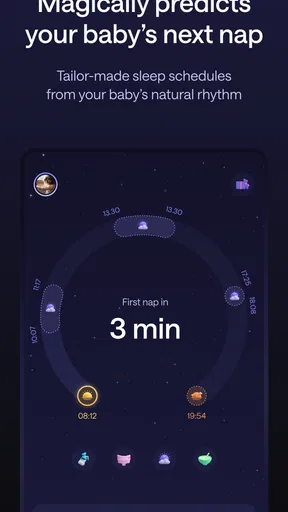
The app offers a variety of features that aim to make parenting just a tad bit easier. From sleep tracking to personalized sleep plans, it’s like having a sleep consultant in your pocket. The setup process is straightforward, asking for details about your baby’s sleep habits to tailor the experience to your needs.
Sounds and logging in everyday use
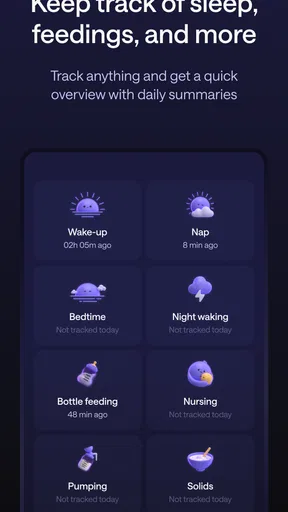
One of the standout features is the sleep tracking. It allows you to log naps and nighttime sleep, giving you a comprehensive view of your baby’s sleep patterns. This is super helpful when you're trying to establish a routine or figure out why your little one might be fussy.
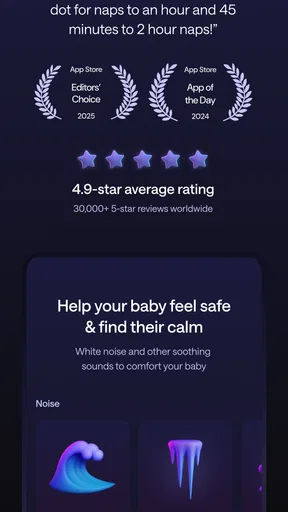
The app also provides white noise and lullabies, which are a godsend. I can't count how many times the gentle hum of a fan or the soft melody of a lullaby has saved the day (or night). The sound quality is top-notch, and you can even mix and match sounds to find the perfect combo that lulls your baby to sleep.
Personalized sleep plans are another highlight. The app crafts these based on your baby’s age and sleep habits, offering tips and advice to improve sleep. It’s like having a sleep coach cheering you on, which, let’s be honest, we all need sometimes!
Access is not the same for every parent
While the app is generally user-friendly, it does have a bit of a learning curve. Navigating through the various features can be overwhelming at first, especially when you're sleep-deprived. However, once you get the hang of it, it becomes second nature.
Another thing to note is that some features are behind a paywall. The basic version is quite functional, but to access all the bells and whistles, you might need to consider upgrading. Depending on your needs, it could be worth the investment.
Who benefits most, and where another approach may fit better
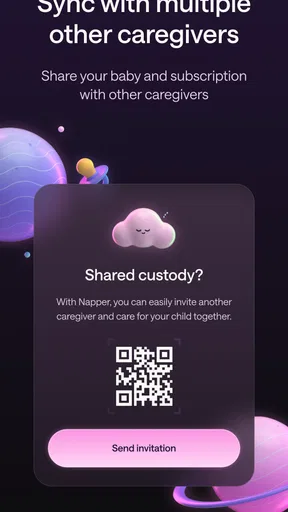
I’d recommend trying Napper if you want one place to keep sleep records and are curious whether wake-window guidance can make nap planning less improvised. It may be especially useful when two caregivers are trying to describe the same routine consistently: a simple log gives them something concrete to discuss instead of relying on different recollections of when the last nap began. That doesn’t require treating every suggestion as a rule; it just gives the conversation a shared starting point.
A realistic day shows both the value and the limits. Imagine a parent who has logged a morning nap and is deciding whether to begin winding down before an afternoon errand. The schedule can help them think ahead, while the sleep record can make it easier to remember how the morning went. If the baby is clearly tired sooner, or the outing changes the plan, flexibility matters more than following the app’s timing. The useful outcome is less mental arithmetic, not a perfectly controlled day.
For a more informative log, I would record sleep close to when it happens rather than trying to reconstruct the whole day at night. That small habit reduces the chance of mixing up nap times, and it helps make the pattern more meaningful. I would also give the routine time to reveal itself: one unusually short nap is not enough reason to redesign the day. These are practical ways to use a tracker, not guarantees that sleep will change.
Compared with a paper notebook or the notes app already on a phone, Napper offers a more sleep-focused structure and brings suggestions and sounds into the same experience. A plain timer can be quicker if all you need is a start-and-stop record, while a notebook may feel better if you want complete freedom over what to write. Napper’s trade-off is that its broader guidance can be helpful, but it also asks you to learn more than a minimal tracker and may lead you toward paid options.
Sound, sensory comfort and device use
White noise and lullabies can be convenient when a familiar sound helps create a calmer transition, and the ability to mix sounds gives a parent room to try different combinations. I would approach that as personal experimentation: a sound that one baby settles to may bother another, and a quiet routine may work better for some families. The app’s audio is an option, not something every child needs.
There is also a practical distinction between using the app to choose a sound and relying on a phone throughout a nap. A caregiver may prefer to set things up before settling the baby, then keep the device out of the way. If handling a phone is difficult, or if bright screens and audio are unwelcome in the room, Napper may be less convenient than a simple offline routine or a dedicated sound source already familiar to the family.
For readability and motor access, the straightforward layout is a welcome starting point, but I would not assume that a clean interface automatically works equally well for everyone. A tired user may appreciate keeping to the main tracking task, while someone with limited dexterity or visual comfort may find frequent tapping and navigating among features burdensome. In that situation, a caregiver can test the essential workflow first and decide whether it is manageable before investing time in building a detailed record.
Costs, expectations and reasons to pass
The free app gives parents a way to begin, but the presence of in-app purchases means it is worth deciding what you actually need before paying. I would first use the basic tracking and see whether the routine suits my household; only then would I consider whether extra options solve a real problem. The available purchase range is broad, so the decision should be based on the specific offer shown in the app, not on an assumption that every paid feature is essential.
I would skip Napper if logging itself feels like a burden, if a baby’s routine changes too much for suggested timing to feel useful, or if I wanted a completely manual record without prompts. It is also not the right tool for diagnosing sleep problems. A family with a persistent concern should rely on appropriate healthcare guidance rather than expecting an app’s plan to explain what is happening.
A helpful aid, not an accessibility or sleep guarantee
In the end, Napper: Baby Sleep & Parenting is a solid tool in the arsenal of new parents. It won’t miraculously solve all your sleep woes, but it provides structure and support, which is invaluable during those first few months (or years). The combination of sleep tracking, soothing sounds, and personalized plans makes it a well-rounded app.
Would I recommend it? Absolutely. If you're navigating the wild journey of parenthood and need a little help in the sleep department, give Napper a try. It might just be the extra pair of hands you didn’t know you needed.
My recommendation comes with a boundary: use its records and timing as aids, keep the parts that genuinely reduce your mental load, and leave the rest. Napper is a sensible option for parents who want sleep-focused structure in one app, but a basic notebook, a timer or a non-digital routine can be the better fit when simplicity, screen-free use or a different way of interacting matters more.
Pros
- User-friendly interface for easy navigation.
- Extensive library of soothing sounds.
- Customizable sleep schedules.
- Parenting tips included.
- Offline access to features.
Cons
- Some features require a subscription.
- Limited free content available.
- Occasional in-app advertisements.
- Initial setup can be time-consuming.
- No integration with smart home devices.
FAQs for Napper: Baby Sleep & Parenting
What features does Napper: Baby Sleep & Parenting offer?
Napper provides a comprehensive suite of tools to help parents manage their baby’s sleep schedule. It includes customizable sleep tracking, lullabies, white noise options, and expert parenting tips. The app also features a community forum where parents can share experiences and advice, making it a holistic resource for new parents.
Is Napper suitable for all age groups of children?
Yes, Napper is designed to cater to various age groups, from newborns to toddlers. The app allows parents to customize settings according to their child’s age, ensuring that the sleep and parenting advice is relevant and effective. This adaptability makes it a versatile tool for parents at different stages.
Does Napper provide in-app purchases or is it a one-time purchase?
Napper is free to download with a range of basic features available. However, it offers premium features through in-app purchases. These include advanced sleep analytics, a wider selection of lullabies, and personalized parenting advice. Users can choose to upgrade as needed based on their preferences.
How does Napper support parents in managing their child’s sleep issues?
Napper offers personalized sleep plans developed by sleep experts, helping parents address common sleep issues such as night waking and irregular sleep patterns. The app provides step-by-step guidance and tracks progress, allowing parents to make informed adjustments and improve their child’s sleep over time.
Is Napper compatible with both Android and iOS devices?
Yes, Napper is available on both Android and iOS platforms, ensuring compatibility with a wide range of devices. The app is regularly updated to enhance performance and introduce new features, providing a consistent user experience across different operating systems.


